

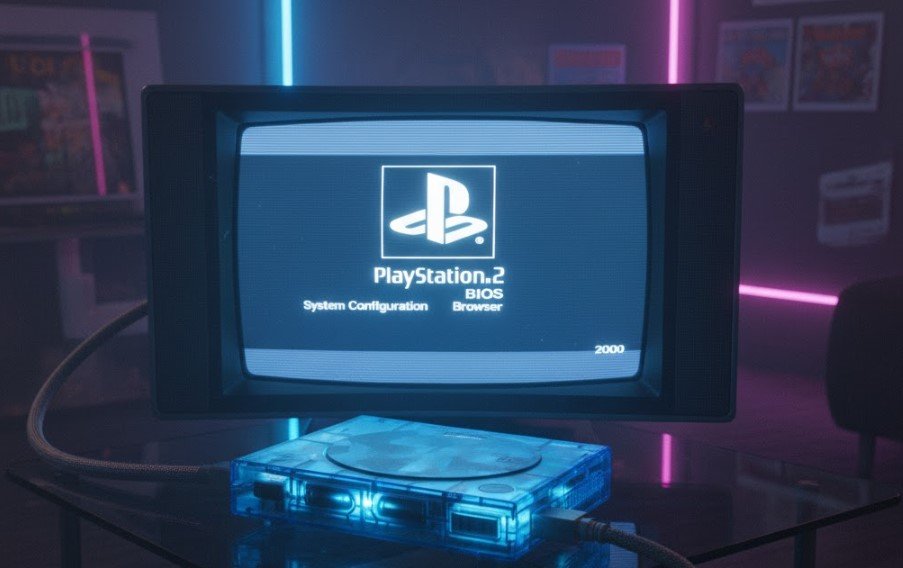
In the world of retro gaming, emulators have become an essential tool for reliving classic console experiences on modern devices. One of the most popular consoles to emulate is the PlayStation 2 (PS2), a powerhouse in the gaming world that boasts an extensive library of iconic games. However, to emulate PS2 games on your PC or Android device, you need something crucial: the PS2 BIOS.
In this guide, we’ll walk you through everything you need to know about PS2 BIOS files, including where to download them, how to use them with emulators like PCSX2 and AetherSX2, and troubleshooting common issues. Whether you’re a seasoned retro gamer or a newcomer to the world of emulation, this article will provide valuable insights.
What is a PS2 BIOS?
Before diving into the process of downloading PS2 BIOS files and using them with emulators, it’s important to understand what a PS2 BIOS is.
A BIOS (Basic Input/Output System) is a firmware that allows a console to boot up and interact with the hardware. It is required for emulating a system because it handles essential processes such as input/output functions, hardware initialization, and the basic configuration of the device. Without the BIOS, emulation is impossible as the emulator wouldn’t have the necessary code to simulate the original console’s behavior.
For the PS2, the BIOS file is necessary for running games on emulators like PCSX2 (for PC) and AetherSX2 (for Android). The PS2 BIOS ROM contains the core files from the actual PlayStation 2 console and is typically tied to a specific region (USA, Europe, or Japan).
Also Read: Crypto30x.com Avalanche: A Complete Guide to 30x Leverage Crypto Trading
How to Download PS2 BIOS Files
The first step in setting up your PS2 emulator is to download the correct PS2 BIOS file. Here’s a quick guide on how to do it.
Where Can I Download PS2 BIOS Files?
Downloading PS2 BIOS files from legitimate sources is essential to avoid issues with corrupted files or malware. You can typically find PS2 BIOS files on reputable websites related to retro gaming. However, note that the BIOS files are copyrighted, and downloading them from unauthorized sources may not be legal.
It’s important to mention that some emulators like PCSX2 may provide users with a way to extract the BIOS from their own PS2 console, which is the most legal method to obtain the file. If you’re using a console you legally own, you can follow the extraction process directly within the emulator.
How to Extract the PS2 BIOS from Your Console
If you own a PS2 and want to use its BIOS with your emulator, you can extract it using your PC. Here’s a general overview of the process:
- Connect the PS2 to your PC using a memory card or USB device.
- Use a PS2 BIOS extraction tool (such as the “PS2 BIOS Dumper”) to extract the BIOS from the console.
- Once extracted, you’ll receive the PS2 BIOS file in the appropriate format for your emulator.
Also Read: Who Is Nicky Catsburg? All About the Dutch Race Car Driver
Downloading PS2 BIOS Files for Emulators
If you’re looking to download the PS2 BIOS for use with PCSX2, AetherSX2, or other emulators, here are some key considerations:
- PS2 BIOS USA: If you live in the United States or plan to play games from this region, download the PS2 BIOS USA version.
- PS2 BIOS European and Japanese versions: Similar to the USA version, if you’re emulating games from Europe or Japan, be sure to select the appropriate region-specific BIOS files.
Common BIOS versions you might encounter include:
- SCPH-10000 (Japan)
- SCPH-30000 (USA)
- SCPH-50000 (Europe)
- SCPH-70000 (A later version for all regions)
Important Note: PS2 BIOS files must match the region of the games you’re trying to emulate. For example, if you’re playing a game designed for the European market, you’ll need the European version of the PS2 BIOS.
How to Use PS2 BIOS with PCSX2 Emulator
Now that you’ve downloaded or extracted the PS2 BIOS, the next step is configuring it with the PCSX2 emulator, one of the most popular PS2 emulators for PC. Follow these steps to set it up:
Step 1: Install PCSX2
- Download PCSX2 from its official website.
- Install the software following the on-screen instructions.
Step 2: Set Up the BIOS in PCSX2
- Open PCSX2 and go to the BIOS Configuration menu.
- Click Browse and locate the folder where you downloaded or extracted the PS2 BIOS file.
- Select the BIOS file (e.g., SCPH-50000.bin) and click OK.
- Confirm that the BIOS has been successfully set up by running a game.
PCSX2 will now use the PS2 BIOS files to emulate the PlayStation 2 console, allowing you to play your favorite games on your PC.
Also Read: 5StarsStocks.com Passive Stocks: Earning with Minimal Effort
How to Use PS2 BIOS with AetherSX2 Emulator
If you’re looking to play PS2 games on your Android device, AetherSX2 is one of the best emulators for the job. Here’s how to use the PS2 BIOS for AetherSX2:
Step 1: Download and Install AetherSX2
- Go to the Google Play Store and download the AetherSX2 app.
- Install the app on your Android device.
Step 2: Add the PS2 BIOS to AetherSX2
- Open AetherSX2 and go to Settings.
- Find the BIOS Location and select it.
- Navigate to the folder containing your PS2 BIOS file.
- Choose the correct BIOS file, then save the settings.
After setting it up, you can begin playing PS2 games on your Android device using AetherSX2.
PS2 BIOS Image for Specific Regions
As mentioned earlier, PS2 BIOS files are region-specific. If you’re planning to emulate games from different regions, it’s crucial to have the correct PS2 BIOS image for each.
- USA Games: Use the PS2 BIOS USA version.
- Japanese Games: Use the PS2 BIOS Japan version.
- European Games: Use the PS2 BIOS Europe version.
Having these separate BIOS files ensures that your emulator can properly read and execute games from all over the world, maintaining compatibility.
Troubleshooting Common PS2 BIOS Issues
While setting up PS2 BIOS files, you may encounter some issues. Here are some common problems and how to fix them:
1. Error: BIOS Missing or Corrupted
This usually happens when the BIOS file is not placed correctly or is incomplete. To fix this:
- Double-check the BIOS file location.
- Ensure that the file isn’t corrupted.
- Try redownloading or extracting the BIOS file again.
2. Incompatible BIOS Version
If you’re having issues with a specific game, make sure you are using the right BIOS file for your region and game version.
3. Game Not Starting
Sometimes, a game may not launch even with the BIOS properly installed. Ensure that your system meets the emulator’s minimum requirements, and consider adjusting the emulator settings for performance or compatibility.
Conclusion
Using the PS2 BIOS is an essential step in setting up any PS2 emulator, whether you’re playing on a PC with PCSX2 or on an Android device with AetherSX2. By following this guide, you’ll be able to download and use the correct PS2 BIOS file for your system and region, ensuring a smooth emulation experience.
Always remember to download BIOS files from legitimate sources or extract them from a PS2 console you legally own. With the right setup, you can enjoy the extensive PS2 library on modern hardware, bringing back classic gaming memories and discovering hidden gems you may have missed.
Frequently Asked Questions
Q1: Is it legal to download PS2 BIOS files?
No, downloading PS2 BIOS files from unauthorized sources can violate copyright laws. The best option is to extract the BIOS from a PS2 console you legally own.
Q2: Can I use the same PS2 BIOS file for different emulators?
Yes, you can use the same BIOS file with both PCSX2 and AetherSX2, as long as it’s compatible with your emulator version.
Q3: Can I play PS2 games on Android?
Yes, AetherSX2 is a popular PS2 emulator for Android that allows you to play PS2 games with the right BIOS file.
Q4: How do I fix a PS2 BIOS not working in PCSX2?
Make sure that the BIOS file is correctly located and matches your region. Reinstall the emulator or try using a different BIOS file if issues persist.
For More Latest Update oneuppress
